Preface
runlab lets learners take a lab in a web browser. Their own computer needs nothing installed. This manual is how you write a lab, publish it, and invite learners to take it.
A lab page has two parts. One part is the lesson, the instructions for the work. The other part is a shell, a prompt on a Linux machine. That machine was prepared for the lesson. The banner at the top of the page is the lab's title.
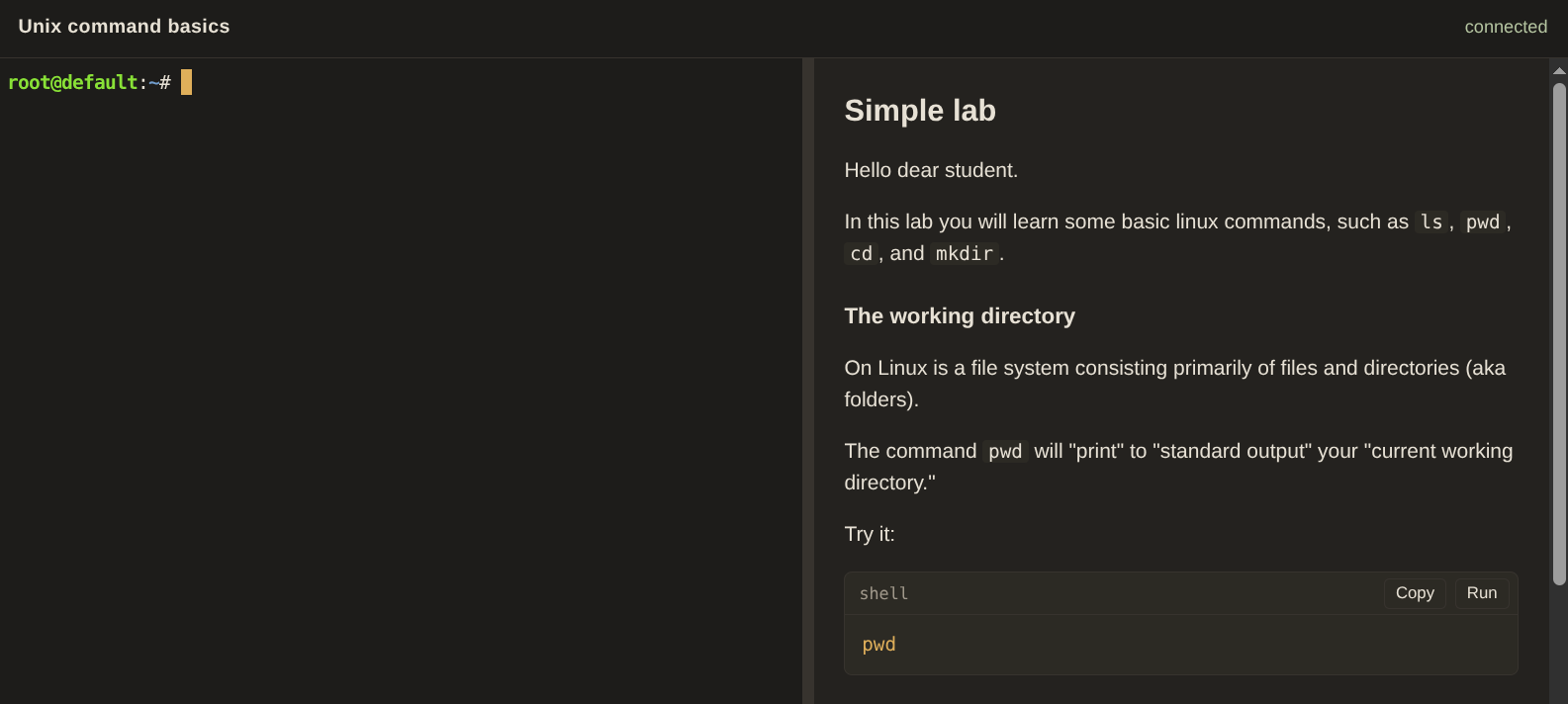
The learner types commands in the shell. The lesson can include a button that runs a command for them. A lesson can also include a link that opens a page the machine is serving.
A lab can be small. One lab asks the learner to run pwd, ls, mkdir, and cd. A lab can also be large. A Kubernetes lesson can start a small cluster on the machine with k3d or kind, two programs that run Kubernetes on a single computer, and then ask the learner to use the cluster. The examples in this manual do not include a Kubernetes lab. They show how a lab is put together, one piece at a time, and they are short on their subjects.
When the learner is finished, they press Complete lab. That ends the sitting.
You try a lab on your own computer before you publish it. The next page is how.